An Industrial Pc is more than a computer placed near a production line. It must keep working beside vibration, dust, heat, electrical noise, or frequent cleaning. The right design depends on where it will be installed and what it must control. A touchscreen operator station has different needs from a sealed computer mounted inside a machine cabinet.
The demand for dependable computing is growing alongside factory automation. The International Federation of Robotics reported 4,281,585 industrial robots operating worldwide in 2023, a 10% increase over the previous year, in its World Robotics 2024 report. That figure does not measure industrial PC sales, but it shows the scale of automated environments these systems may support. Small details matter: enclosure ratings, mounting space, processor performance, available ports, and long-term component supply can shape a purchasing decision.
This guide compares common types, including panel PCs, box PCs, rackmount systems, embedded computers, and rugged models. Each has trade-offs. A fanless unit may reduce dust intake, but it can still need careful thermal planning. A rackmount system offers room for expansion, yet may not suit a cramped machine cabinet. Labels alone are not enough. The best choice depends on real operating conditions, software requirements, and maintenance plans—not on a product category’s name.
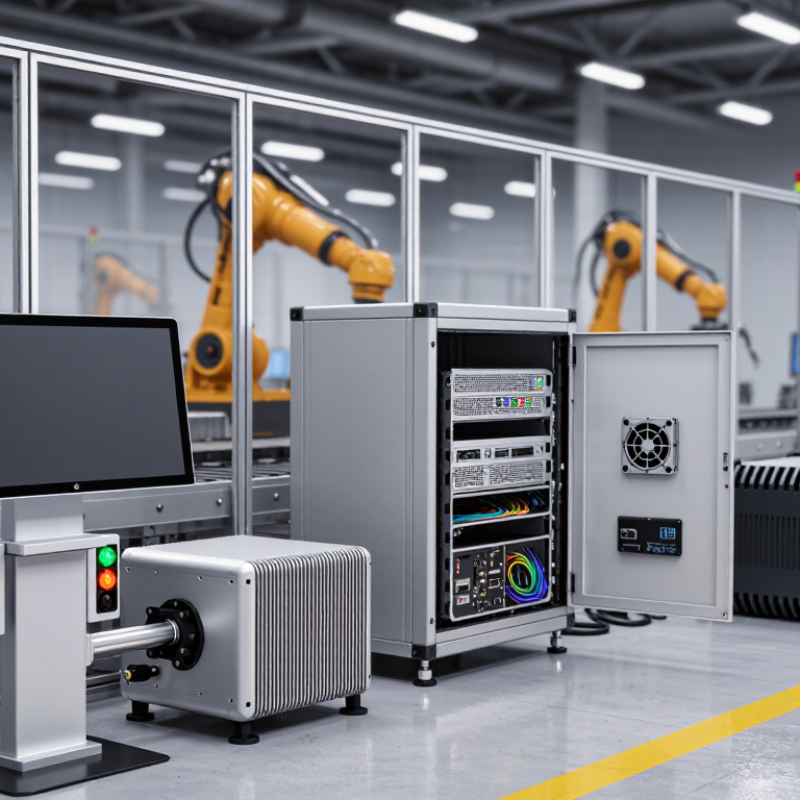
Industrial PCs are often classified by form factor: the shape, mounting method, and space they occupy. These features affect installation, maintenance, and how easily a computer fits into a production line. The right choice depends on the equipment around it, not just processor speed.
A box PC is a compact, enclosed unit that can be mounted inside a cabinet or on a machine frame. It suits applications where a separate display is already available. A panel PC combines the computer and screen in one housing, often mounted through a cabinet door. This keeps controls within reach, though operators should check screen size, touch response, and access to service ports. Small details matter.
Rackmount PCs fit standard equipment racks and can simplify centralized monitoring in control rooms. They take up rack space and may need planned airflow. DIN-rail computers attach to a rail inside an electrical cabinet, leaving more room for wiring and other components. Embedded systems are smaller still and may be built into a larger machine. Their compact size can limit later upgrades.
A form factor is not a performance rating. Two units with similar dimensions can differ in cooling, connector access, and resistance to vibration. I would measure the mounting area and cable clearance before choosing; that step is easy to overlook. Some installations change over time, so leaving room for service access can prevent awkward maintenance later.
Panel PCs combine a display, computer, and often a touchscreen in one industrial unit. They can be mounted in a control cabinet, machine console, or production-line station. This integrated design reduces loose cables and saves space. It also means the screen and computing hardware share one enclosure, so heat management matters.
Industrial touchscreen computers are useful when operators need to view readings and enter commands at the machine. A worker might tap a large on-screen button while wearing gloves, then check a live temperature reading. Touch technology varies: resistive screens can respond to pressure, while projected capacitive screens typically support smoother gestures. Neither is ideal for every workplace. Test with actual gloves, cleaning methods, and lighting.
Look closely at the environment before choosing a unit. Dust, moisture, vibration, and direct sunlight can affect performance, but protection levels differ by model and installation. Check the stated operating temperature, mounting method, available ports, and service access. A sealed front does not automatically make every connector waterproof. Small detail, big consequence.
Touchscreens can simplify routine tasks, yet a crowded interface may slow an operator down. Buttons should remain easy to distinguish, even with a quick glance. It is tempting to focus on screen size alone. That can be a mistake. Test the interface on the shop floor, where glare, noise, and hurried work are real.
Panel PCs combine a computer and display in one unit, while industrial touchscreen computers are designed for direct touch-based operation in industrial environments. The chart shows representative display sizes commonly available for these systems; specific options vary by model.
Box PCs are self-contained industrial computers housed in compact, rugged enclosures. They often include a processor, memory, storage, and multiple ports in one unit. An engineer might mount one on a cabinet wall near a production line, then connect cameras, sensors, and a display. The enclosure helps protect components from dust and vibration, though protection varies by model and installation. Check the operating temperature and ingress rating, not just the casing.
Embedded industrial computers are typically smaller and designed to fit inside another machine or control system. Some use fanless cooling, which reduces moving parts and avoids drawing dust through a fan. They can run machine interfaces, collect sensor data, or manage a single control task. Tiny footprint. Fewer distractions. But limited space can also mean fewer expansion options, and heat still needs somewhere to go.
The practical choice depends on the job. A box PC may suit a station that needs several connections and easier access for service. An embedded computer may work better where space is tight and the system has a fixed purpose. Count the ports, check mounting clearance, and consider how technicians will reach the unit later. That last detail is easy to overlook. A neat installation can become awkward when a connector sits behind a hot panel.
Rackmount and DIN-rail industrial PCs solve different space and service problems. A rackmount unit fits a standard 19-inch equipment rack, keeping computing, storage, and network connections together in a control room. Technicians can slide a chassis out for inspection, though the rack needs clear airflow and enough depth. DIN-rail PCs clip onto rails inside electrical cabinets, close to PLCs and I/O modules. They save cabinet space, but usually offer less room for expansion and cooling.
The International Federation of Robotics reported 4.28 million industrial robots operating worldwide in 2023, up 10% from 2022. That growth signals expanding automation needs, but it does not make one PC form factor right for every line. A rackmount model suits centralized monitoring and heavier workloads. A DIN-rail model fits distributed control points where short cable runs and compact installation matter. Check operating temperature, vibration tolerance, ports, and maintenance access against the actual cabinet conditions.
Tips: Measure usable cabinet depth before choosing rackmount hardware. For DIN-rail systems, leave space around vents and connectors. Small detail, big impact. A cramped cabinet can trap heat; I have seen layout plans overlook that until installation.
| Industrial PC Type | Typical Form and Installation | Common Characteristics | Typical Applications | Main Consideration |
|---|---|---|---|---|
| Rackmount Industrial PC | Chassis designed to be secured in a standard equipment rack; commonly available in 1U, 2U, or larger heights. | Often provides room for multiple storage devices, expansion cards, and wired network connections. Cooling typically uses fans. | Control-room systems, machine-vision servers, data acquisition, and centralized factory applications. | Offers useful expansion and service access, but requires rack space and suitable airflow. |
| DIN-Rail Industrial PC | Compact housing that clips onto a DIN rail inside a control cabinet. | Designed for space-efficient installation and connection to control equipment. Many models use fanless cooling, depending on their design and operating conditions. | Machine control, industrial gateways, edge computing, and data collection in cabinets. | Uses little cabinet space, but usually has fewer expansion options than a rackmount system. |
| Panel PC | Computer integrated with a display, commonly mounted in a control-panel cutout or on an enclosure. | Combines computing and operator display in one unit; touchscreen options are common. | Human-machine interfaces, production-line monitoring, and equipment operation. | Provides a convenient operator interface, but display size and mounting position need to suit the application. |
| Box PC | Compact standalone enclosure, typically mounted on a surface, machine, or inside a cabinet. | Available in a range of processor, port, and expansion configurations; some models are fanless. | Machine vision, robotics, automation control, and industrial edge applications. | Flexible and compact, but cooling, mounting, and expansion depend on the specific enclosure. |
| Embedded Industrial PC | Compact computer designed for integration into a machine or larger system. | Often prioritizes low power use, compact dimensions, and integration with a defined set of interfaces. | Dedicated controllers, kiosks, smart equipment, and OEM systems. | Well suited to purpose-built products, but may be less convenient to upgrade than a larger chassis. |
Industrial PCs differ less by computing power than by where and how they must work. Panel PCs combine a screen and computer in one sealed unit, making them practical for machine controls and production dashboards. Operators can tap status menus beside a conveyor without carrying a separate monitor. Space is tight.
Box PCs suit equipment that needs computing without a built-in display. They can sit inside control cabinets, where they collect sensor readings or run inspection software. Fanless models reduce moving parts, but cabinet heat still needs attention. Dust changes everything.
Rackmount PCs fit centralized control rooms and industrial servers that manage several production systems. Their larger chassis can support expansion, yet they need rack space and reliable airflow. Rugged or embedded PCs are often chosen for vibration, limited space, or continuous operation near machinery. A compact unit mounted on a vehicle, for example, may handle route data and wireless communication. Applications overlap, so the label alone can mislead. A panel PC may work in a demanding environment, while a rugged computer may be unnecessary for a clean office floor. Check temperature, mounting, ports, maintenance access, and software needs against the actual site. Real installations are rarely as tidy as diagrams.
Hi! Simply click below and type your query.
Our experts will reply you very soon.
