Choosing an Embedded Pc in 2026 means looking beyond processor speed. The right system must handle its workload, fit its enclosure, and keep running in its actual environment. A compact fanless unit beside a packaging line faces different demands from a vehicle computer exposed to vibration and temperature changes. Small details matter.
Embedded-systems expert Jack Ganssle has long written about designing dependable systems. A useful principle from his work is: “Reliability must be designed in, not tested in at the end.” Treat that as a practical reminder, not a substitute for checking a product’s documented specifications. Ask how long the manufacturer supports the processor, operating system, and drivers. Check the available ports, memory limits, storage options, and operating-temperature range. Then compare those details with the equipment the PC will control. A fast processor cannot compensate for a missing interface.
This guide outlines how to assess performance, connectivity, durability, security updates, and lifecycle support. It also considers power draw, cooling, and mounting, because a PC that fits a datasheet may still run hot inside a sealed cabinet. Leave room for uncertainty. Real workloads often reveal surprises that a benchmark misses. Test a representative unit before committing to a large deployment, and record what it does under sustained load. The best choice is not always the newest or most powerful. It is the one whose documented capabilities match the job—and whose limitations are clear before installation.
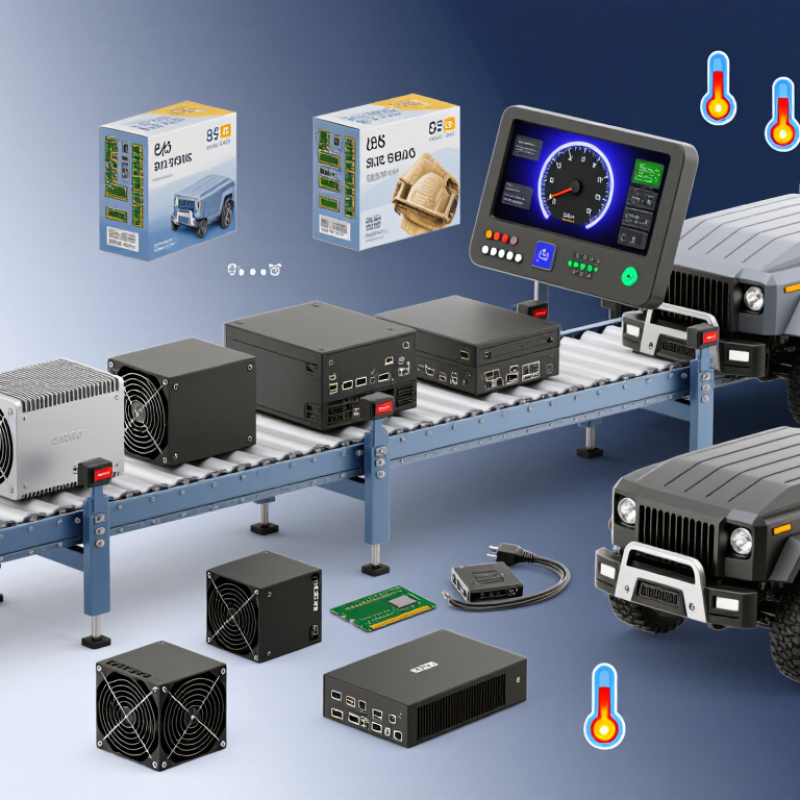
Begin with the job the computer must perform, not a processor shortlist. Will it inspect images, collect sensor readings, or control a machine? Record required response time, data volume, network interfaces, and how long information must remain available. IDC’s Worldwide Edge Spending Guide projected global edge spending of $232 billion in 2024, up 15.4% from 2023. That figure covers edge computing broadly, not embedded PCs alone, but it signals why deployment needs vary widely. Small details matter. A vision system may need several camera connections, while a remote monitor may need only reliable low-bandwidth communication.
Next, describe the real installation: enclosure temperature, humidity, dust, vibration, available power, and mounting space. Measure heat where the PC will sit, not only at the room thermostat. Cold starts matter. So do brief voltage drops and the heat trapped behind a sealed cabinet door. Match these conditions to documented operating limits and relevant IEC 60068 environmental test methods; a headline temperature range is not proof of suitability. Leave margin for peak workload and future expansion. I have seen specifications look complete until someone checks cable clearance or airflow. That is an easy mistake to make. It is worth writing down the assumptions, especially when seasonal temperatures or maintenance access remain uncertain.
Choosing an embedded PC starts with the workload, not the largest specification sheet. Compare processor performance using the tasks it must handle, such as reading sensors, processing camera feeds, or running several services at once. Check sustained performance under heat, too. A fast processor may slow down inside a sealed cabinet. Short tests can miss this. Run your real software for long enough to reveal bottlenecks.
Memory affects how smoothly applications and operating systems run together. A basic controller may work well with modest capacity, while vision or data-heavy tasks often need more headroom. Check whether memory is expandable and whether the system uses error-correcting memory when reliability is important. Storage deserves equal attention: capacity, read and write speed, endurance, and replaceability all matter. An SSD can load data quickly, but frequent logging may wear it faster than expected. That trade-off is easy to overlook.
Tips: List peak workloads, then test a representative unit at the expected temperature. Leave room for future software growth, but avoid paying for unused capacity. Keep a small performance margin. It is not a precise science; real installations can surprise you. Review the results before settling on a configuration.
When choosing an embedded PC in 2026, map every connection to a real device on the installation floor. A camera may need stable Ethernet, while a barcode reader may rely on USB or serial. Check port counts, connector types, cable clearance, and whether the system supports the required network speeds. A tidy specification sheet can still mislead. Test the actual cables; right-angle plugs sometimes block neighboring ports.
Expansion needs the same practical review. Confirm that spare slots support the cards, storage, or wireless modules your next revision may require. Then check available power, cooling, and physical space. Adding a second accelerator can raise heat enough to reduce performance. More slots are not automatically better. I have seen plans change after one overlooked cable crossed an airflow path.
Environmental durability depends on where the computer will operate, not just its published temperature range. Compare that range with measured cabinet temperatures, including startup and peak-load conditions. In dusty areas, inspect enclosure protection and cooling design. For vibrating equipment, secure mounting and locking connectors matter. Test the complete setup under realistic loads, with doors closed and cables installed. Specs help, but field conditions are less tidy.
A reliable embedded PC should arrive with security evidence, not just a password-protected setup screen. Check for secure boot, hardware-backed key storage, signed firmware updates, and a documented patch-support period. The Verizon 2024 Data Breach Investigations Report found that 68% of breaches involved a non-malicious human element. That makes clear update procedures and restricted service access practical safeguards, not paperwork. IBM’s 2024 Cost of a Data Breach Report put the global average breach cost at $4.88 million. That is expensive. Ask who reports vulnerabilities, how quickly fixes are issued, and whether older units receive them too.
Compliance depends on where and how the computer will be installed. Request test records and declarations relevant to the target market and operating environment; a certificate alone may not cover the whole system. For industrial use, ask whether design and development processes align with applicable IEC 62443 requirements. Verify the exact model and configuration. Details matter.
Long-term availability needs written commitments. Request the expected production life, notice periods for product changes or end-of-life, and a last-time-buy option. Check whether replacement units will retain the same BIOS, connectors, and thermal limits. A substitute may fit the enclosure but still disrupt validation. Keep a spare-unit plan, and record approved component revisions. It is easy to overlook this during a successful prototype review.
| Evaluation Dimension | What to Check | Evidence to Request | Why It Matters |
|---|---|---|---|
| Secure boot | Confirm that the system can verify boot software before execution, reject unauthorized images, and support a documented process for managing signing keys. | Security architecture documentation, configuration details, and a demonstration of how unauthorized boot images are handled. | Verified boot helps reduce the risk of tampered firmware or operating-system images loading during startup. |
| Hardware root of trust | Check whether a Trusted Platform Module (TPM) 2.0 is available and supported by the chosen operating system and applications. Verify which measured-boot or key-storage features are enabled. | Module specification, firmware settings, and operating-system compatibility information. | TPM 2.0 provides hardware-backed functions for tasks such as protected key storage and platform measurements; its presence alone does not secure the whole system. |
| Firmware and update security | Ask how firmware and software updates are authenticated, delivered, installed, and recovered if an update fails. Confirm whether security updates are available for the full deployment period. | Written update policy, signing and verification process, recovery procedure, and support contact for vulnerability reports. | Authenticated updates help prevent unauthorized code from being installed, while a recovery plan reduces the risk of devices becoming unusable after an interrupted update. |
| Vulnerability management | Check for a published vulnerability-reporting process, defined response practices, and clear communication about affected hardware, firmware, and software versions. | Vulnerability disclosure policy, security advisory history, and a process for receiving and applying fixes. | Security depends on how issues are identified and addressed after deployment, not only on the features present at purchase. |
| Software bill of materials | Ask whether a machine-readable software bill of materials (SBOM) can be provided for shipped software and how component changes are tracked. | An SBOM in a recognized format, such as SPDX or CycloneDX, plus a process for reviewing component vulnerabilities. | An SBOM helps identify software components that may be affected when vulnerabilities are disclosed. It does not, by itself, demonstrate that a product is secure. |
| Industrial cybersecurity requirements | For industrial applications, determine whether the product and its development process align with relevant parts of IEC 62443, such as IEC 62443-4-1 for secure product development or IEC 62443-4-2 for component security requirements. | Scope-specific assessment or certification documents, including the exact standard part, product version, and features covered. | IEC 62443 contains distinct requirements for different roles and system components. A general claim of “IEC 62443 compliant” is not enough to establish what was assessed. |
| Regulatory compliance | Identify the target markets and the regulations that apply to the complete end product. For EU sales, check applicable legislation and the required conformity-assessment documentation; CE marking is not a substitute for that documentation. | Applicable test reports, technical documentation, and the relevant declaration of conformity for the finished product. | Requirements depend on the product’s intended use, configuration, and destination market. A component-level report may not establish conformity of the final system. |
| EU Cyber Resilience Act timing | If placing products with digital elements on the EU market, assess whether the Cyber Resilience Act applies and plan for its phased requirements. Reporting obligations begin on 11 September 2026; the main requirements apply from 11 December 2027. | A documented applicability assessment, product support plan, and plan for vulnerability handling and incident reporting. | These dates are set in the Act. Applicability and obligations should be checked against the product’s role, scope, and any applicable exceptions. |
| Product availability and lifecycle | Request a written statement of planned production availability, last-time-buy arrangements, end-of-life notice, and the availability of replacement units or equivalent models. | Lifecycle policy, product-change notification terms, and written supply or support commitments relevant to the deployment. | There is no universal availability period that applies to every embedded PC. Written, product-specific commitments are more useful than an unspecified “long-life” claim. |
| Configuration stability | Confirm whether processor, memory, storage, firmware, and interface changes will be communicated and whether replacement configurations will be validated for the intended workload. | Revision-control policy, change-notification process, and validation or compatibility records for revised configurations. | Unannounced component changes can affect performance, operating-system compatibility, thermal behavior, or regulatory test results. |
| Environmental and electrical fit | Compare the specified operating temperature, input voltage, power consumption, shock and vibration limits, and cooling method with the actual installation conditions. | Datasheet with test conditions, environmental test reports where needed, and installation guidance. | Published limits are meaningful only when the system is used within the stated configuration and test conditions. |
| Storage endurance and serviceability | Match storage endurance and retention specifications to the write workload and temperature. Check access to replaceable storage, memory, and batteries if field servicing is required. | Endurance and retention specifications, workload assumptions, and maintenance instructions. | Storage life varies with workload and operating conditions; service access can reduce repair time over a long deployment. |
When choosing an embedded PC in 2026, treat vendor support as part of the system, not an afterthought. Ask who handles firmware issues, how quickly technical questions receive a response, and how long replacement units will remain available. Request written details on update frequency and product lifecycle. A helpful sales answer is not the same as a service commitment.
Calculate total cost beyond the purchase price. Include mounting hardware, cables, power use, cooling, software setup, and the labor needed for maintenance. A fanless unit may reduce cleaning, but it can still need space to shed heat. Small costs add up. It is easy to overvalue processor speed and overlook the expense of downtime; that trade-off deserves a second look.
Check deployment readiness in the actual enclosure and operating environment. Test the required ports with the intended sensors, and record startup time, temperature, and recovery after a power interruption. Confirm that the operating system image, security updates, and remote monitoring fit the maintenance plan. A bench test is useful, but it may miss vibration or cramped cable access. Leave time for a pilot run; schedules often feel tighter than expected.
Validate vendor support, total cost, and deployment readiness before selecting a system.
Checklist items represented in the chart
Vendor support (5): support period, firmware updates, OS and driver compatibility, response SLA, and repair or spare-parts availability. Total cost of ownership (6): purchase price, integration, software licensing, energy use, maintenance, and downtime or replacement. Deployment readiness (7): required I/O, thermal limits, mechanical fit, certifications, security, provisioning, and pilot acceptance. Bar values count the checks in this guide; they are not market statistics or product ratings.
Hi! Simply click below and type your query.
Our experts will reply you very soon.
