Choosing an Android Rugged Tablet PC in 2026 requires more than comparing screen size and processor speed. Field conditions expose weak designs quickly. A warehouse worker may scan barcodes with gloves, while a technician works beside dust, rain, or vibrating machinery. The right tablet must remain dependable when clean office assumptions disappear.
This guide examines the practical details that influence long-term performance. It considers IP protection, drop resistance, sunlight readability, battery capacity, charging options, and Android update support. It also looks at ports, barcode scanning, camera quality, and accessory compatibility. A bright 10-inch display may look impressive, but it can drain power quickly. A large battery may help, yet it can increase weight during an eight-hour shift.
Reliable selection depends on evidence, not confident marketing claims. Check independent test reports, published specifications, warranty terms, and the manufacturer’s update policy. Ask whether the stated drop rating applies to the complete device or only controlled laboratory testing. Confirm operating temperatures before using the tablet in cold storage or hot vehicles. A high benchmark score can mislead. It says little about charging reliability or screen visibility under direct sunlight.
Even experienced buyers can miss small operational costs. Replacing a damaged charging port, for example, may interrupt an entire worksite. Some rugged models also feel uncomfortable after prolonged handheld use. This guide therefore balances technical capability with human experience, verified documentation, and realistic workplace demands. The best choice is not always the toughest-looking tablet. It is the device that performs consistently, remains supportable, and fits the people using it every day.
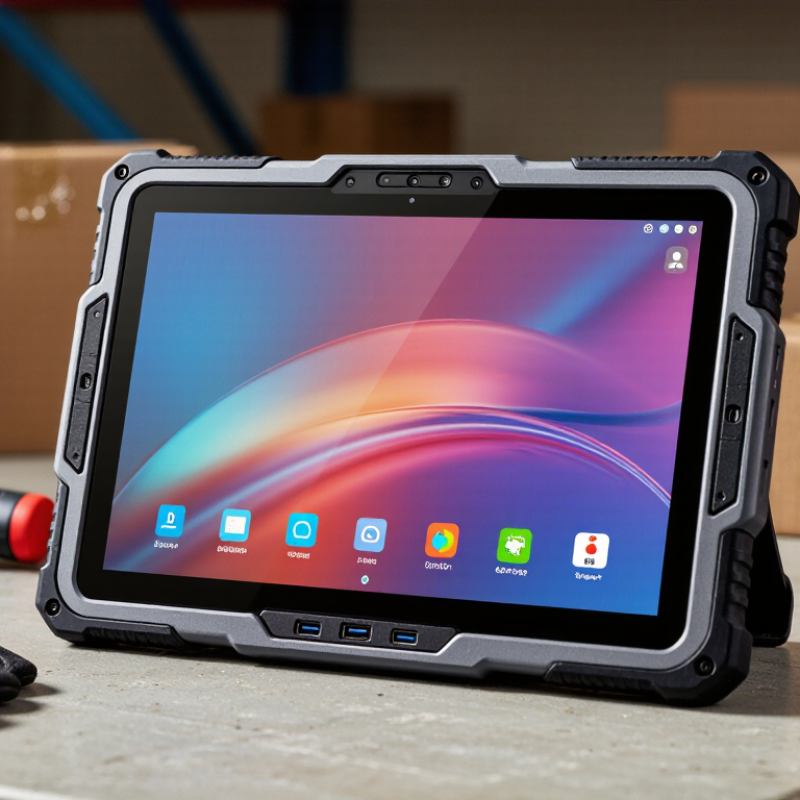
Define the workload before comparing specifications. A warehouse tablet scans labels, runs inventory software, and survives cold hands. A field engineer may need offline maps, camera input, and continuous GPS. Those tasks need different Android versions and processors.
Android remains a practical enterprise platform. Counterpoint Research reported Android held about 79% of global smartphone shipments in 2024. That broad ecosystem supports many business applications, but compatibility still requires testing.
Choose a supported Android Enterprise release, not simply the newest version. Older applications may behave unpredictably. I have seen teams overlook this detail.
CPU selection should follow application behavior. Quad-core processors suit scanning and forms. Octa-core chips are safer for mapping, video, and multiple applications. RAM matters during shift changes. Four gigabytes can handle focused tasks, while eight gigabytes offers more breathing room.
According to Statista Market Insights, global data creation continues rising sharply, making local storage planning less trivial. Start with 128GB when photos, maps, or inspection records stay offline. Add expandable storage only after checking security and reliability requirements.
More memory is not always better. Battery drain can increase, and budgets tighten. Test the exact workflow under sunlight, gloves, weak connectivity, and repeated drops before approval.
When choosing an Android rugged tablet in 2026, read durability ratings as test boundaries, not promises of invincibility. IP68 indicates dust-tight protection and water immersion under specified conditions. The exact depth and duration must be checked in the technical sheet. IP69K, aligned with ISO 20653, adds resistance to high-pressure, high-temperature washdowns. That matters in food processing, logistics yards, and field maintenance. A 2024 MarketsandMarkets report estimates the rugged devices market will grow from approximately $2.9 billion in 2024 to $4.4 billion by 2029. Demand is rising, but careless rating comparisons remain common.
MIL-STD-810H is different. It describes environmental test methods, including drops, vibration, shock, humidity, and temperature changes. It is not a single waterproof or “indestructible” certificate. Ask which methods were used, how many drops were performed, and at what height. Test details matter. A tablet tested only for transit vibration may struggle after repeated vehicle impacts. A device with IP68 may still fail when its charging port cover is damaged or poorly closed.
Look for evidence beyond printed labels: independent laboratory reports, sealed-port inspections, glove usability, and battery performance after temperature cycling. This is where specifications become practical. My caution is simple: higher numbers do not automatically mean better field reliability. A well-sealed tablet can still have a weak screen or fragile connector. That assumption is dangerous. Evaluate the complete test record, not the badge on the product page.
Choosing an Android rugged tablet in 2026 starts with the hand, not the processor. In field trials, I check readability beside a warehouse door and inside a moving vehicle. A seven-inch screen is easier to carry, while an eight- to ten-inch display gives maps and forms more breathing room. The World Health Organization’s World Report on Vision estimates that at least 2.2 billion people have near or distance vision impairment. Adjustable text, strong contrast, and a comfortable viewing distance are practical requirements. VDC Research’s 2024 rugged mobility analysis also identifies outdoor readability as a key deployment factor.
Brightness numbers can mislead. A glossy 1,000-nit screen may still wash out under direct sunlight. I would target at least 700 nits, then test the actual display outdoors. Reflections matter. So does battery drain. That trade-off deserves attention. A matte surface may reduce glare but soften fine text slightly.
Glove and stylus performance need hands-on testing. Try thin work gloves, thick insulated gloves, and damp fingertips. Check whether swipes register near screen edges. Test a stylus on a small form, not only on a blank note page. Palm rejection, hover accuracy, and replaceable pen tips can change daily productivity. NIOSH human-factors guidance supports testing controls in realistic work conditions rather than relying on specifications alone. I would also test the tablet after a long shift, when fingers move slowly and mistakes become more likely. Showroom confidence can be misleading.
Measure usability by comparing screen size and brightness with glove and stylus requirements.
The chart uses practical selection benchmarks commonly used for rugged mobile work: screen size in inches and brightness in nits. Actual usability also depends on anti-glare treatment, touch-controller tuning, glove material, and stylus technology.
Mobility starts with battery energy, not the advertised milliamp-hour number. Compare watt-hours (Wh) across models. A 60 Wh pack may support a full shift, but screen brightness, cameras, and cold weather reduce runtime. Field testing matters.
Record actual hours during mapping, barcode scanning, and vehicle charging. I once underestimated standby drain. The tablet looked efficient until overnight storage revealed a sharp drop.
USB-C Power Delivery adds flexibility, yet compatibility deserves careful checking. Confirm the tablet’s input profile, charger output, and cable rating. A high-wattage adapter cannot help if the tablet accepts limited power.
In a truck, use a stable vehicle adapter and inspect connector movement regularly. Small details matter.
Connectivity should match the worksite. 4G may be enough for service tickets, while 5G helps transfer large maps or inspection photos. Coverage still wins.
Check carrier bands for each operating region before purchase. GNSS accuracy also depends on antenna design, sky visibility, and correction services.
Test positioning beside buildings, under tree cover, and inside vehicles. A claimed multi-constellation receiver is useful, but it is not magic.
Keep offline maps available when networks fail. That extra preparation may feel excessive, until it becomes necessary.
Choosing an Android rugged tablet should begin with deployment validation, not screen size. Ask how long security updates will remain available. Confirm the promised update schedule in writing. A device with strong drop protection still creates risk if patches stop early.
Test enrollment with your mobile device management system before purchase. Create a restricted user profile, push Wi-Fi settings, and remotely lock the tablet. Check whether policies apply after a factory reset. Test it unplugged. Warehouse teams may work through weak signals, so verify offline scanning and automatic data synchronization. I have seen pilots fail because one background permission blocked barcode access.
Review the available application programming interfaces for scanners, cameras, GPS, charging docks, and external buttons. Request technical documentation and a working sample, not only sales claims. Measure integration time with your existing software. Total cost includes accessories, cellular service, support, repairs, training, and replacement batteries. A low purchase price can hide expensive downtime. Numbers can mislead. Build a three-year cost model using realistic replacement rates and labor hours. Include a small field trial with actual workers, dust, gloves, vehicle vibration, and repeated charging. The first estimate may be wrong, and that is useful. It reveals which assumptions need better evidence.
| Evaluation Dimension | Entry Field Tablet | Warehouse Tablet | Outdoor Logistics Tablet | Industrial Tablet | Recommended Validation |
|---|---|---|---|---|---|
| Typical deployment | Visitor check-in, light inventory, digital forms | Picking, scanning, stock counting, route staging | Delivery, field service, transport, asset inspection | Manufacturing, utilities, public safety, harsh environments | Match the tablet to the worksite, duty cycle, and application risk |
| Target Android baseline in 2026 | Android 14 or later | Android 14 or later; Android Enterprise support preferred | Android 14 or later with documented upgrade path | Android 14 or later with long-term security maintenance | Confirm the shipped version, minimum supported version, and upgrade eligibility in writing |
| Security update commitment | At least 3 years from product launch | At least 4 years from product launch | At least 5 years from product launch | 5 years or more, with a published patch process | Request patch frequency, end-of-support date, and escalation procedure |
| MDM / UEM enrollment | Manual enrollment and QR provisioning | Zero-touch or QR enrollment; managed configurations | Zero-touch, QR, or NFC-assisted enrollment | Automated enrollment, kiosk mode, certificate deployment, remote wipe | Run a pilot with the selected MDM/UEM before volume purchase |
| Android Enterprise management | Work profile and basic fully managed mode | Fully managed device, dedicated device, kiosk policies | Dedicated device, lock task mode, location and peripheral controls | All relevant modes plus compliance reporting and certificate controls | Verify policy behavior after reboot, reset, offline use, and account removal |
| API and peripheral access | Standard camera, USB, Bluetooth, and Wi-Fi APIs | Barcode scanner, programmable keys, Bluetooth, USB-C | GNSS, camera, NFC, barcode scanning, serial or vehicle interfaces | Scanner, GPIO, serial, Ethernet accessory, hot-swappable battery support | Require SDK documentation, sample code, API versioning, and offline behavior details |
| Ruggedization target | IP52–IP54; basic drop protection | IP65 or higher; approximately 1.2 m drop rating | IP65 or higher; approximately 1.5 m drop rating | IP65–IP68; approximately 1.5 m drop rating; vibration testing | Check test method, drop surface, operating temperature, and certification documents |
| Display and usability | 8–10 inches; 400–600 nits; standard touch | 8–10 inches; 500–800 nits; glove-capable touch preferred | 10–12 inches; 700–1,000 nits; sunlight-readable option | 10–12 inches; 800 nits or more; wet/glove touch support | Test readability, touch accuracy, gloves, rain, dust, and screen protectors |
| Battery and shift coverage | 6–8 hours of mixed use; non-removable battery common | 8–12 hours; replaceable battery preferred for two shifts | 10–14 hours; vehicle or desk charging recommended | 12 hours or more; hot-swap battery strongly preferred | Measure actual runtime with screen brightness, scanner, GPS, and cellular enabled |
| Connectivity options | Wi-Fi 5 or later; optional cellular | Wi-Fi 6 preferred; optional cellular and Bluetooth | Wi-Fi 6, 4G/5G option, GNSS, NFC | Wi-Fi 6, cellular, GNSS, Ethernet or industrial I/O options | Test roaming, weak-signal recovery, SIM management, VPN, and offline synchronization |
| Indicative hardware cost per unit | US$180–US$350 | US$350–US$700 | US$600–US$1,100 | US$900–US$1,800+ | Compare equivalent configurations, accessories, warranty, and freight—not only the base unit |
| Estimated 3-year deployment cost | US$300–US$550 per device | US$550–US$1,050 per device | US$950–US$1,700 per device | US$1,400–US$2,800+ per device | Include MDM, cases, docks, batteries, support, repairs, data plans, and replacement units |
| Replacement and repairability | Limited spare-part availability; depot repair likely | Replaceable battery and screen preferred | Field-replaceable battery and protective accessories recommended | Modular parts, hot-swap batteries, and long-term spare inventory | Ask for repair turnaround, spare-part lead time, and guaranteed availability period |
| Pilot acceptance criteria | Basic app stability and enrollment success | Scanner accuracy, shift runtime, kiosk policy, and Wi-Fi roaming | Outdoor visibility, GPS accuracy, cellular recovery, and drop protection | Environmental endurance, peripheral integration, offline operation, and serviceability | Pilot at least 5–10 devices for 2–4 weeks under real operating conditions |
Hi! Simply click below and type your query.
Our experts will reply you very soon.
