Choosing the best Smart Switch in 2026 will require more than comparing app features or glossy packaging. Global buyers must examine wiring systems, voltage ratings, wireless protocols, certifications, and long-term software support. A switch that performs perfectly in a North American home may not suit a European neutral-wire system. Installation conditions matter.
Tobin Richardson, President and CEO of the Connectivity Standards Alliance, has described Matter as “a new foundation for connected things.” That foundation may simplify cross-platform compatibility, but it does not remove every purchasing risk. Buyers should still check whether a Smart Switch supports Matter directly, requires a bridge, or depends on cloud services. Local control is valuable when internet access fails. It can also improve response time.
The strongest products usually combine reliable relays, clear installation instructions, overload protection, and stable firmware. Look closely at the wall box. Is a neutral wire available? Is the connected load compatible with dimming? A tiny detail can decide the entire installation.
There is no universal winner.
Performance can vary between apartments, concrete walls, and crowded wireless environments. Retail specifications are sometimes incomplete. That weakness deserves attention, not blind confidence. Real-world testing should include power recovery, physical button response, automation delays, and privacy settings. Buyers should also verify regional certification and warranty coverage before ordering internationally.
This guide compares major Smart Switch types for global buyers, including Wi-Fi, Zigbee, Z-Wave, Thread, Matter, and wired systems. The aim is practical judgment. Not hype. Your best choice depends on the building, ecosystem, electrical standards, and the years of support you expect.
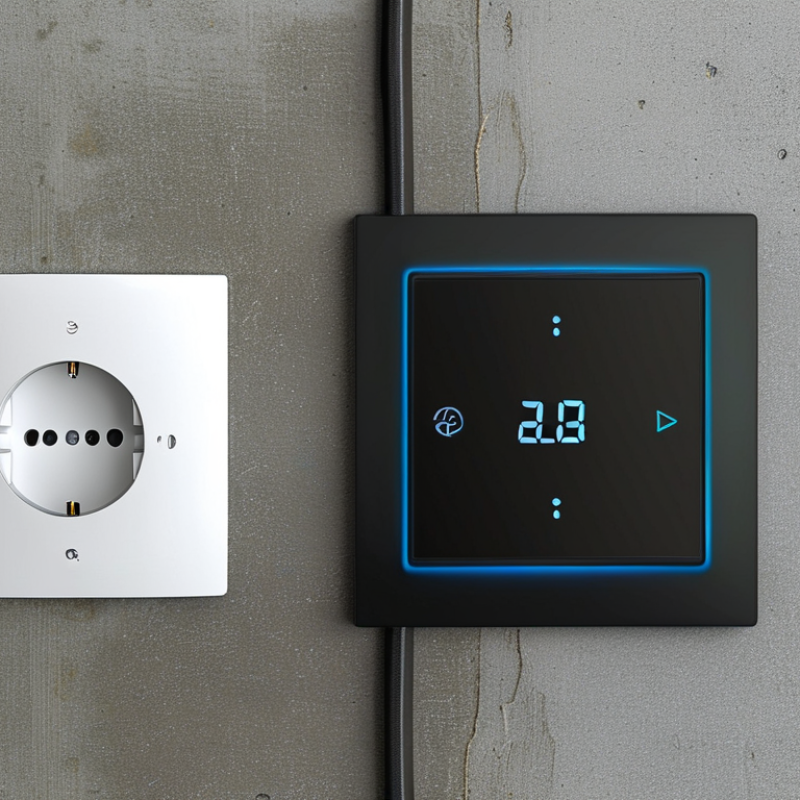
A smart switch is a wall-mounted control that connects lighting to a wireless network. It uses a small relay to open or close the electrical circuit. Users can control lights manually, through an app, or with voice commands. Many models also support schedules, motion triggers, and energy monitoring.
The connection method affects daily performance. Wi-Fi models usually need a home router and may offer direct cloud access. Zigbee, Thread, and Bluetooth models can reduce network traffic, but they may require a hub or compatible controller. In practical installations, the neutral wire is often the overlooked detail. Some switches need it, while others use alternative wiring methods. Electrical boxes also differ in depth and size across countries. Voltage and frequency must match local requirements. Never assume similar-looking wiring is interchangeable.
Tips: Check the wiring first. Confirm voltage, frequency, box depth, and load capacity. Choose local control when possible, because internet outages should not disable basic lighting. A qualified electrician should handle uncertain wiring. Installation is not always simple. Even experienced users can misread an old wall box. I have found that compatibility lists may sound clear, yet real homes contain unusual circuits and limited space. Leave room for careful inspection.
In 2026, smart switches come in more forms than simple on-and-off controls. Standard connected switches suit bedrooms, hallways, and basic lighting circuits. Smart dimmers adjust brightness for reading, dining, or late-night use. Three-way and multi-way models control one light from several wall locations. They are useful in staircases and long corridors.
Motion and occupancy switches add automatic control in bathrooms, garages, and entryways. Scene switches combine several actions, such as dimming lights and closing shades with one press. In-wall relay modules fit behind existing switches, which can preserve a room’s original appearance. Wireless battery switches help when new wiring is difficult. Some models also measure energy use, although accuracy can vary with different loads.
Compatibility is the quiet problem. Check the load rating, bulb type, neutral-wire requirement, box depth, and communication protocol before buying. A no-neutral switch may solve an older wiring issue, but it can behave poorly with very low-wattage lamps. That detail is easy to miss. Dimmers also need compatible lighting equipment; otherwise, users may notice flicker, buzzing, or a narrow brightness range. Look for clear technical documentation and recognized safety testing. Installation should follow local electrical requirements, with a qualified professional handling uncertain wiring. In real projects, the most attractive switch is not always the most reliable choice. A careful fit usually matters more than extra features.
Which smart switch connectivity types are available in 2026?
The chart compares common wireless technologies used in smart switches by their typical operating frequency. Wi-Fi, Zigbee, Thread, and Bluetooth Low Energy generally operate at 2.4 GHz. Z-Wave uses regional sub-GHz frequencies, commonly around 0.8–0.9 GHz, which may provide better penetration but requires region-compatible devices. Buyers should also check neutral-wire requirements, local electrical standards, hub compatibility, and Matter support.
2026 Best Smart Switch Types for Global Buyers?
Choosing a smart switch starts with the protocol, not the appearance. Wi-Fi models connect directly to a router and suit small installations. They can become unreliable when walls block signals or many devices share one network. Zigbee and Thread usually need a hub or border router, but they reduce network congestion. Matter can improve cross-platform compatibility, although actual device support still varies by region and controller.
Check compatibility before comparing features. Confirm the local voltage, frequency, wall-box depth, and switch wiring. Many older homes lack a neutral wire. A no-neutral switch may solve that problem, but it can require a bypass component for low-power lamps. Dimming also depends on the bulb, load range, and wiring quality. Test one circuit first. A product may work perfectly in a showroom and flicker in a real bedroom.
Installation method affects cost and safety. In-wall switches offer a clean finish, while relay modules can preserve existing switch styles. Plug-in controllers need less electrical work but provide fewer fixed controls. Look for clear wiring diagrams, overload protection, local certification, and firmware support. A qualified electrician should inspect uncertain wiring. Compatibility claims are not always precise. Even two devices using the same protocol may differ in automation functions, latency, or offline operation. Expect some trial and error.
Global buyers need more than a stylish faceplate. The most important feature is electrical compatibility. Check the local voltage, frequency, wiring method, and wall-box size before comparing smart functions. A switch designed for a neutral wire may fail in older homes without one.
Reliable control matters during weak internet connections. Choose a model with physical buttons, local control, and clear status indicators. Support for common wireless standards can simplify installation across different networks. Security also deserves attention: encrypted communication, regular firmware updates, strong account protection, and a visible reset process reduce practical risks.
I have seen installations delayed because the switch required a deeper wall box. That small detail matters. Buyers should also check load limits for lights, fans, or motors, rather than trusting a general product description. Local certification and installation requirements should be verified with qualified professionals. Features such as scheduling, energy monitoring, and remote access are useful, but only when the application supports them reliably. Sometimes, fewer functions are better. I still question whether every household needs voice control. A stable button can be more useful than a complicated feature that fails after a router change.
| Smart Switch Type | Typical Communication | Hub or Border Router | Typical Indoor Range* | Internet Dependence | Neutral-Wire Requirement | Energy and Battery Profile | Best Use Case | Global Buyer Considerations |
|---|---|---|---|---|---|---|---|---|
| Wi-Fi Smart Switch | 2.4 GHz Wi-Fi is common; some newer products also support 5 GHz. | Usually not required | Approximately 20–50 m, depending on walls, antenna design, and router placement. | Often cloud-dependent for remote access; local control varies by product. | Both neutral and no-neutral models are available. No-neutral models may require a bypass or minimum-load compatibility. | Powered continuously from the electrical circuit; generally higher network energy use than low-power mesh technologies. | Simple installations, rental properties, apartments, and homes with reliable Wi-Fi coverage. | Check regional Wi-Fi regulations, supported frequency bands, local app availability, privacy policy, and router compatibility. |
| Zigbee Smart Switch | Low-power 2.4 GHz mesh networking; some regional sub-GHz variants also exist. | Usually required | Approximately 10–30 m per hop; compatible mains-powered devices can extend the mesh. | Local control is possible through a compatible hub; remote access normally requires internet-connected hub services. | Neutral and no-neutral versions are available, subject to load and installation design. | Low-power protocol; mains-powered switches can act as mesh routers, while battery-powered accessories can operate for long periods. | Large installations with many sensors, switches, and lighting devices. | Confirm the hub’s regional channel settings, device profile compatibility, security updates, and local electrical certification. |
| Z-Wave Smart Switch | Sub-GHz mesh networking; operating frequency differs by region. | Required | Approximately 30–100 m per hop in favorable conditions; walls and building materials reduce range. | Local automation can work through the hub; remote control typically needs an internet connection. | Neutral and no-neutral products are available, but load limits and bypass requirements must be checked. | Designed for reliable low-power mesh communication and reduced interference with 2.4 GHz networks. | Residential security, lighting control, and installations where sub-GHz propagation is advantageous. | Frequency versions are region-specific; a device made for one market may not work correctly with a hub from another market. |
| Matter over Thread Smart Switch | Thread low-power mesh radio with Matter as the application standard. | Thread Border Router required | Approximately 10–30 m per hop; the mesh can extend through powered Thread devices. | Matter supports local control, while remote access depends on the user’s smart-home ecosystem and internet connection. | Neutral and no-neutral models may be available; compatibility depends on the switch design and electrical load. | Low-power mesh technology; mains-powered switches help maintain the Thread network. | Multi-platform smart homes seeking interoperability across compatible ecosystems. | Check Matter version, supported device type, Thread Border Router availability, commissioning method, and ecosystem compatibility. |
| Bluetooth Mesh Smart Switch | Bluetooth Low Energy mesh, typically using the 2.4 GHz band. | Gateway often needed for remote access | Approximately 10–30 m per hop, depending on building conditions and participating mesh devices. | Local control may work through Bluetooth devices; remote access generally requires a gateway. | Neutral and no-neutral versions may be available, depending on the circuit and switch design. | Low-power communication; suitable for battery accessories and distributed lighting controls. | Lighting projects, commercial spaces, and installations using Bluetooth-enabled commissioning. | Verify gateway compatibility, commissioning tools, firmware-update support, and local control behavior after internet loss. |
| No-Neutral Smart Switch | May use Wi-Fi, Zigbee, Z-Wave, Thread, or another protocol; “no-neutral” describes wiring, not communication. | Depends on the selected communication protocol. | Depends on the selected communication protocol and building conditions. | Depends on the selected communication protocol and platform. | Designed for circuits without a neutral wire | May require a bypass, capacitor, minimum load, or compatible LED driver to prevent flicker or unintended glow. | Older homes and retrofit projects where the wall box does not contain a neutral conductor. | Confirm wiring topology, minimum and maximum load, LED compatibility, bypass requirements, box depth, and installation regulations. |
| Wired Smart Switch with Local Control | May combine wired Ethernet or a local bus with a smart-home protocol. | Usually not required for basic local operation | Not applicable for the primary control link; network distance depends on the wired infrastructure. | Can provide strong local reliability; remote operation depends on network and platform design. | Normally requires a properly wired electrical circuit; neutral requirements vary by model. | Continuous mains power; generally stable for fixed installations. | New construction, high-reliability projects, commercial buildings, and professional automation systems. | Check wiring standards, connector types, voltage, enclosure dimensions, installation skills, and certification requirements in the target market. |
Choosing a smart switch starts with the home, not the feature list. A dry apartment may suit a compact Wi-Fi switch, while a large house may need a stable hub-based system. Check the local voltage, frequency, wall-box depth, and neutral-wire availability before ordering. These details vary between markets and can affect safety, installation, and daily reliability.
For older homes, choose switches designed for limited wiring and low-load lighting. For new construction, wired control systems may offer better stability and easier maintenance. Moist rooms require suitable protection ratings, while hot or humid regions need components tested for demanding conditions. Always verify local electrical standards and use a qualified installer when wiring changes are required. Remote control is useful, but it should not replace a dependable physical button.
Tips: Test one switch first. Check the connection from every room. Confirm whether the system works during an internet outage. Read the installation guide, not only the product page. A switch that works perfectly in a showroom may respond slowly behind thick walls. This is easy to overlook.
Families, rental homes, and elderly users may prefer clear controls over complicated scenes. A small apartment may benefit from simple scheduling, while a multi-floor home needs stronger network coverage.
Avoid selecting by price alone. The cheapest option can create hidden costs through adapters, rewiring, or repeated replacements. I would still compare energy monitoring carefully; its accuracy may differ across loads and regions.
Hi! Simply click below and type your query.
Our experts will reply you very soon.
